Input System で、例えば「スペースを押した瞬間」のキーボード入力を取るには、以下のようにコードを書きます。
Keyboard.current[Key.Space].wasPressedThisFrame
この値、Console の Clear ボタンを押すと、押しっぱなしでも wasPressedThisFrame == true となってしまい、暴走します。
unity2019.4、Input System 1.0.2 で発生しました。
今の所エディタのクリアボタンだけなので心配ないかな…とは思うのですが、こういう不具合ってゲーム完成間際で予測不能な事態を引き起こすことがあるんですよね。
バージョンアップしたら wasPressedThisFrame が動かなくなったぞ!? みたいな。
回避策として自ら wasPressedThisFrame、wasReleasedThisFrame を管理するコードも作ってみました。
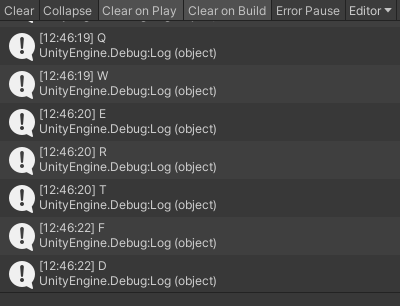
KeyboardCheck.cs
using System;
using System.Collections;
using System.Collections.Generic;
using UnityEngine;
using UnityEngine.InputSystem;

public class KeyboardCheck : MonoBehaviour
{
    public class InputLog
    {
        public bool isPressed;
        public bool wasPressedThisFrame;
        public bool wasReleasedThisFrame;
    }

    public static Dictionary<Key, InputLog>   KeyLogs;

    void Awake()
    {
        KeyLogs = new Dictionary<Key, InputLog>();

        foreach (Key val in Enum.GetValues(typeof(Key)))
        {
            // IMESelected は Key でなく Button に属する?
            if (val == Key.None || val == Key.IMESelected)
            {
                continue;
            }

            if (KeyLogs.ContainsKey(val) == false)
            {
                KeyLogs.Add(val, new InputLog());
            }
        }
    }

    IEnumerator Start()
    {
        while (true)
        {
            foreach (var pair in KeyLogs)
            {
                InputLog log       = pair.Value;
                bool     isPressed = Keyboard.current[pair.Key].isPressed;

                log.wasPressedThisFrame  = false;
                log.wasReleasedThisFrame = false;

                if (isPressed == true)
                {
                    if (log.isPressed == false) log.wasPressedThisFrame = true;
                }
                else
                {
                    if (log.isPressed == true)  log.wasReleasedThisFrame = true;
                }

                log.isPressed = isPressed;
            }

            yield return null;
        }
    }

    public static bool isPressed(Key val)
    {
        if (KeyLogs?.ContainsKey(val) == false)
        {
            return false;
        }

        return KeyLogs[val].isPressed;
    }

    public static bool wasPressedThisFrame(Key val)
    {
        if (KeyLogs?.ContainsKey(val) == false)
        {
            return false;
        }

        return KeyLogs[val].wasPressedThisFrame;
    }

    public static bool wasReleasedThisFrame(Key val)
    {
        if (KeyLogs?.ContainsKey(val) == false)
        {
            return false;
        }

        return KeyLogs[val].wasPressedThisFrame;
    }
}
KeyboardTest.cs
using UnityEngine;
using UnityEngine.InputSystem;

public class KeyboardTest : MonoBehaviour
{
    void Update()
    {
        // KeyboardCheck.wasPressedThisFrame(Key.Space);        // スペースが押されたか
        // KeyboardCheck.KeyLogs[Key.Space].wasPressedThisFrame // これでも取得できる

        // 押されたキーがあった場合、表示する
        foreach (var pair in KeyboardCheck.KeyLogs)
        {
            if (pair.Value.wasPressedThisFrame)
            {
                Debug.Log($"{pair.Key}");
            }
        }
    }
}
Git にも置いてます。